

Many individuals rely on search engines when seeking help for their computer problems, often looking for contact details for major tech companies like Microsoft or Apple.
Unfortunately, this dependence on search engines has become a prime opportunity for scammers, who have developed elaborate schemes to trick users. This article delves into two recent fraud tactics that exploit Google advertisements and Microsoft’s infrastructure to craft convincing but deceptive scenarios.
Scam #1: Fake Helpdesk Portal Masquerading as Microsoft Learn
One scheme involves a fraudulent helpdesk page that mimics an official Microsoft support site. Users searching for live Microsoft support agents might stumble upon a sponsored link that appears authentic, featuring Microsoft’s logo and domain.
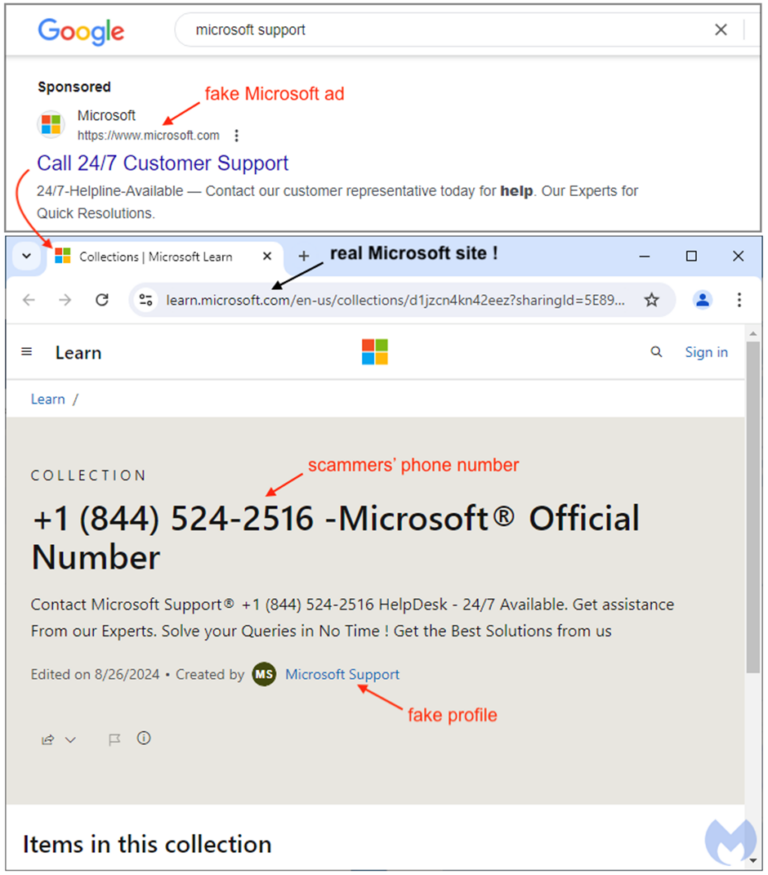
Clicking this ad takes users to a page on the legitimate Microsoft website (learn.microsoft.com), which shows what seems to be an “official” support number. Upon closer examination, it becomes clear that this ad was created not by Microsoft, but by an advertiser based in Vietnam.
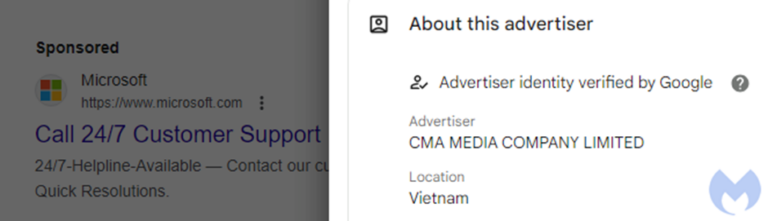
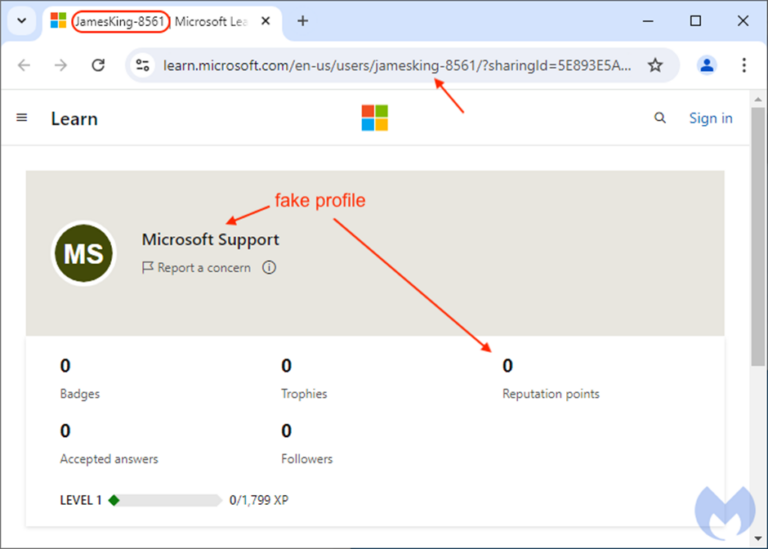
This doesn’t necessarily point to the scammer’s identity, as the account may be compromised. The scammer takes advantage of Microsoft Learn Collections, a feature allowing users to compile lists of Microsoft Learn materials.
By setting up a counterfeit “Microsoft Support” profile, the scammer tricks users into thinking the page is genuine.
Scam #2: Microsoft Search Query Manipulation
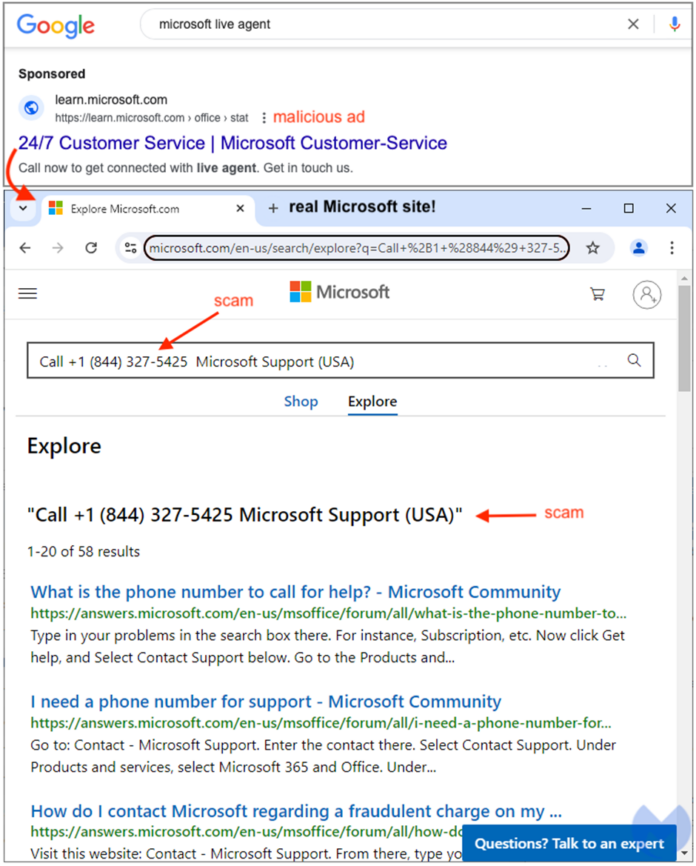
Another scam employs a different approach, beginning with a Google ad that directs victims to a search page on microsoft.com/en-us/search/explore.
This tactic involves embedding specific parameters in the URL to make it look like the page contains a valid Microsoft contact number. This manipulation exploits Microsoft’s search functionality, misleading victims into calling fraudsters posing as Microsoft support agents.
These scammers, typically operating from remote call centers, use remote access tools to take control of victims’ computers. According to a Malwarebytes report, the potential financial damage can range from hundreds of dollars to depleting entire savings accounts.
Staying Safe: Tips for Secure Online Support
Scammers are aware that many people, particularly seniors, rely on online help due to their inability to visit physical stores for computer repairs. Here are some key strategies to protect yourself:
- Avoid Numbers from Ads: Refrain from calling any phone number that appears in a search or display advertisement.
- Prioritize Organic Search Results: Skip sponsored links and scroll to find non-paid search results.
- Be Cautious of SEO Manipulation: Scammers might alter search engine results. If possible, type the website address directly into your browser’s address bar.
- Watch for Typosquatting: Ensure you spell website addresses accurately to avoid redirection to harmful sites.
- Seek Local Assistance: If possible, ask friends or family for help.
- Secure Your Computer: Keep your security software updated to guard against malware and malicious websites. Consider using tools like Malwarebytes’ Browser Guard for additional protection.
By remaining vigilant and informed, you can safeguard yourself from falling prey to these sophisticated scams. Always verify the authenticity of online support resources and seek assistance from reliable sources.


